Free Picks
2026 Tested
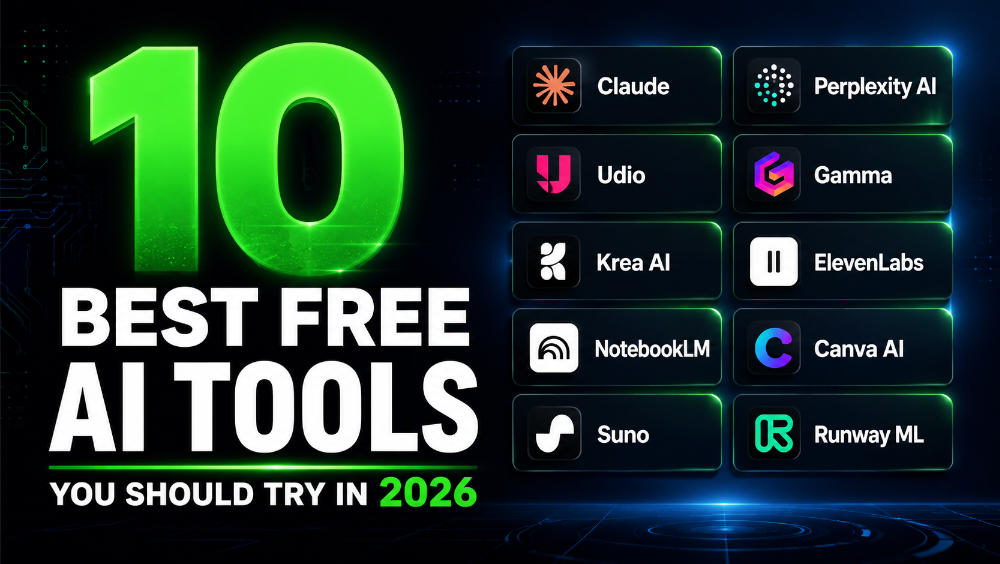
10 Best Free AI Tools You Should Actually Try in 2026
I spent the last three months stress-testing dozens of free AI tools so you don’t have to waste time on the hype. Here’s what genuinely earns a spot in your daily workflow.
A few months ago I was drowning in browser tabs. Someone in a Discord server I’m in dropped a list of “must-have AI tools” and naturally I went down the rabbit hole. I installed, signed up for, and genuinely tried about 40 different free tools over the course of roughly twelve weeks.
Some were incredible. Some were embarrassingly bad despite the hype. A few surprised me in ways I didn’t expect. And a handful quietly became so embedded in my daily routine that I’d feel the loss if they disappeared tomorrow.
This isn’t a list of tools I’ve just heard about or skim-read a press release for. Every single one here I’ve actually used — in real work, real projects, and real deadlines.
“The best free AI tool isn’t the one with the most features. It’s the one you actually open when you need to get something done.”
Tools Tested
Weeks of Testing
That Made the Cut
One quick note before we get into it: “free” means genuinely useful on the free tier — not just a 3-day trial that locks you out the moment you get comfortable. All of these have a free plan I’d actually recommend without upgrading.
The 10 Tools Worth Your Time
Best for Writing
Best for Thinking
I’ll be honest — Claude has become my most-opened tab of 2026. What makes it stand out from the crowd isn’t raw speed or some flashy gimmick. It’s the quality of reasoning. When I give it a messy problem — a half-baked article idea, a confusing brief from a client, a piece of code I’ve tangled myself into — it doesn’t just spit back generic output. It actually thinks through it.
I use it most for drafting long-form content, debugging logic in writing (not just code), and doing research summaries where I need nuance and accuracy rather than vibes. The free tier gives you a solid number of messages per day and access to Claude Sonnet, which is genuinely capable. I’ve used it to write everything from client proposals to Python scripts and it handles both without breaking a sweat.
The one thing I wasn’t expecting: it pushes back when you’re wrong. Not rudely, but it’ll flag if your premise is off. That alone saves me from publishing embarrassing errors.
Best for Research
Think of Perplexity as what Google would be if it actually answered your question instead of serving you ten blue links and a bunch of ads. You ask something, it searches the web in real time, synthesises the results, and gives you a direct answer with cited sources you can click through and verify.
I use it constantly for fact-checking, market research, and understanding topics quickly before a call or meeting. The free tier covers daily use comfortably. It won’t replace deep reading, but for “I need to understand this topic in 10 minutes” situations, nothing comes close.
One honest limitation: on very niche topics it can pull from thin or low-quality sources. I always spot-check citations before trusting anything sensitive. But for general knowledge and current events? It’s my go-to over a regular search engine almost every time now.
Best for Content Creators
When I first saw AI music generation, I was sceptical. What I’ve seen come out of Udio has genuinely changed that. You type a mood, genre, and rough description — something like “lo-fi hip hop, late night study vibes, melancholic piano” — and it generates full, listenable tracks in under a minute.
For content creators, this is a game-changer. Royalty-free background music for YouTube videos, podcast intros, social reels — you no longer have to pay for a stock music subscription or worry about copyright strikes. The free tier gives you a set of generations per month, which is more than enough to build a small library.
Quality varies — some outputs are genuinely impressive, some are a little off — but the hit rate is high enough to